
Best Ways To Organize and Save Family Photos
Family photos capture the moments that shape your life. They tell stories, preserve relationships, and connect generations. When photos become scattered across devices and boxes, finding those moments becomes frustrating.
You can organize your collection with a clear system that protects your memories and makes them easier to enjoy. With a few practical steps, you can bring order to your photos and keep them safe for years.
Why Organizing Family Photos Matters
A disorganized photo collection creates unnecessary stress. You may spend too much time searching for one image or worry about losing important memories.
When you organize your photos, you gain control over your collection. You can quickly find meaningful images, share them with others, and feel confident that they remain protected. Organized photos also make it easier to create albums or special projects later.
Start by Gathering All Your Photos
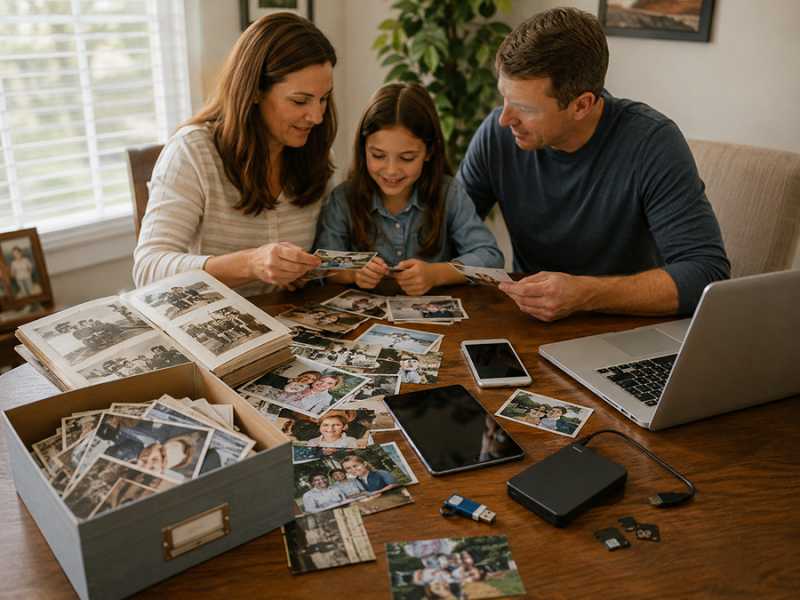
The first step involves collecting every photo you own. This process includes printed pictures and digital files stored across different devices.
Check old albums, shoeboxes, phones, computers, and external drives. Bringing everything into one place gives you a clear starting point. It also helps you avoid missing important photos during the process.
Sort Photos into Simple Categories
After gathering your photos, begin sorting them into broad categories. You do not need a complex system right away. Simple groupings help you stay consistent and avoid feeling overwhelmed.
You might organize photos by family members, major events, or time periods. Some people prefer sorting by year, while others group by occasions like holidays or vacations. Choose a method that feels natural and easy to maintain. For more ideas, see our guide on easy ways to organize your digital photos and videos.
Choose a Consistent Naming System
A clear naming system makes a big difference when you search for photos later. Instead of relying on random file names, you can create a structure that adds meaning.
Use a format that includes the date and a short description. For example, adding the year, month, and event helps keep files in order. This approach allows you to identify photos quickly without opening each one.
Digitize Printed Photos for Long-Term Storage
Printed photos can fade or become damaged over time. Digitizing them creates a long-lasting backup that protects your memories.
You can scan photos at home or use a professional service. High-resolution scans preserve details and allow you to enlarge images if needed. After scanning, store the originals carefully in a safe environment to prevent further wear. Our guide on the best ways to digitize your old photos covers the details, and if any images have faded, here is how to restore vintage photos.
Use Cloud Storage for Easy Access
Cloud storage offers a reliable way to store and access your photos. It keeps your collection available across multiple devices and protects against accidental loss.
Choose one platform and upload your organized folders. Keeping everything in one place simplifies access and reduces confusion. With cloud storage, you can view or share photos anytime without relying on a single device.
Keep a Local Backup for Extra Protection
While cloud storage provides convenience, a local backup adds another level of security. Saving your photos to an external hard drive or USB device ensures you always have a copy.
Update your backup regularly so it reflects your latest collection. If possible, store the backup in a separate location. This extra step protects your photos from unexpected situations like device failure.
Remove Duplicates and Unnecessary Images
Over time, photo collections grow quickly. Many people store multiple copies of the same image or keep blurry photos that no longer serve a purpose.
Taking time to remove duplicates and low-quality images improves your organization. A smaller, cleaner collection becomes easier to navigate. You will also free up storage space and reduce clutter.
Create Albums for Better Organization
Albums help you enjoy your photos instead of scrolling endlessly. When you group images into meaningful collections, you create a more engaging experience.
You can build albums around milestones, holidays, or family traditions. These collections make it easier to revisit memories and share them with others. You might even gather favorite images into a wedding anniversary slideshow to celebrate a meaningful chapter in your life.
Add Descriptions to Preserve Details
Photos capture moments, but they do not always explain them. Adding descriptions helps preserve important details that might fade over time.
Include names, dates, locations, and any meaningful context. These notes help future generations understand the story behind each image. Many digital platforms also allow tags, which make searching even easier.
Set a Routine to Stay Organized
A one-time effort will not keep your photos organized forever. You need a simple routine to maintain your system.
Set aside time each month to review new photos. Upload them to your storage system and place them in the correct folders. This habit prevents clutter from building up again and keeps everything current.
Store Printed Photos Safely
Even with digital backups, printed photos still hold value. Proper storage helps preserve their condition for years.
Use albums and storage boxes designed for photos. Keep them in a cool, dry space away from sunlight. Avoid stacking them loosely, as this can lead to damage over time.
Share Photos with Family and Friends
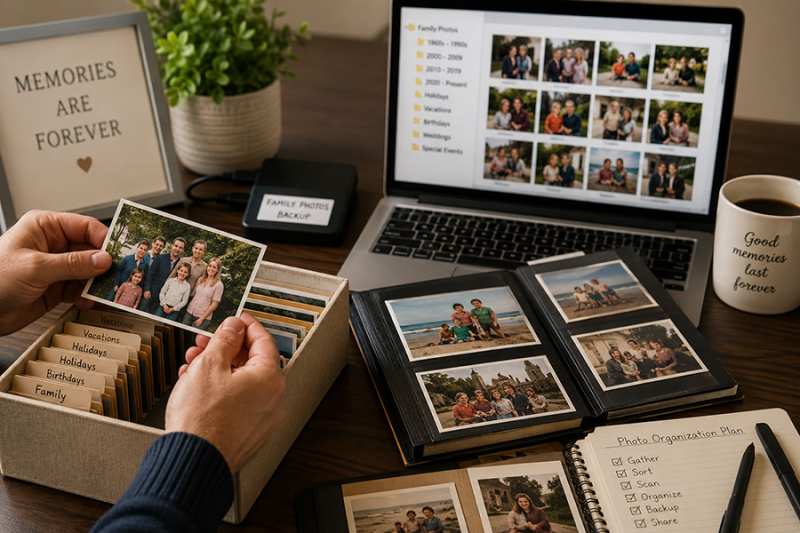
Organized photos make sharing simple and meaningful. You can easily send albums, create collections, or print copies for loved ones.
Sharing photos keeps memories alive and strengthens connections. It also ensures that important images exist in more than one place, adding another layer of protection.
Turn Photos into Meaningful Projects
Once your photos are organized, you can use them in creative ways. Organized collections open the door to projects that celebrate your family's story.
You might create photo books, memory collections, or tribute pieces for special occasions. Milestone Slideshows focuses on turning these memories into emotional experiences that highlight life's most meaningful moments.
Keep Your System Simple and Manageable
A complicated system often leads to frustration. The most effective approach stays simple and easy to follow.
Stick with clear folders, consistent naming, and regular updates. When your system feels manageable, you will continue using it without hesitation. That consistency keeps your photos organized for the long term.
Creating Memories That Last
Organizing and saving family photos gives you more than a tidy collection. It gives you access to your memories whenever you need them.
With a clear plan and steady habits, you can protect your photos and enjoy them more often. Each step you take brings your collection closer to something meaningful, accessible, and lasting. When you are ready to turn those organized memories into a slideshow worth sharing, see our pricing or contact us to get started.